From Timeouts To Workflows
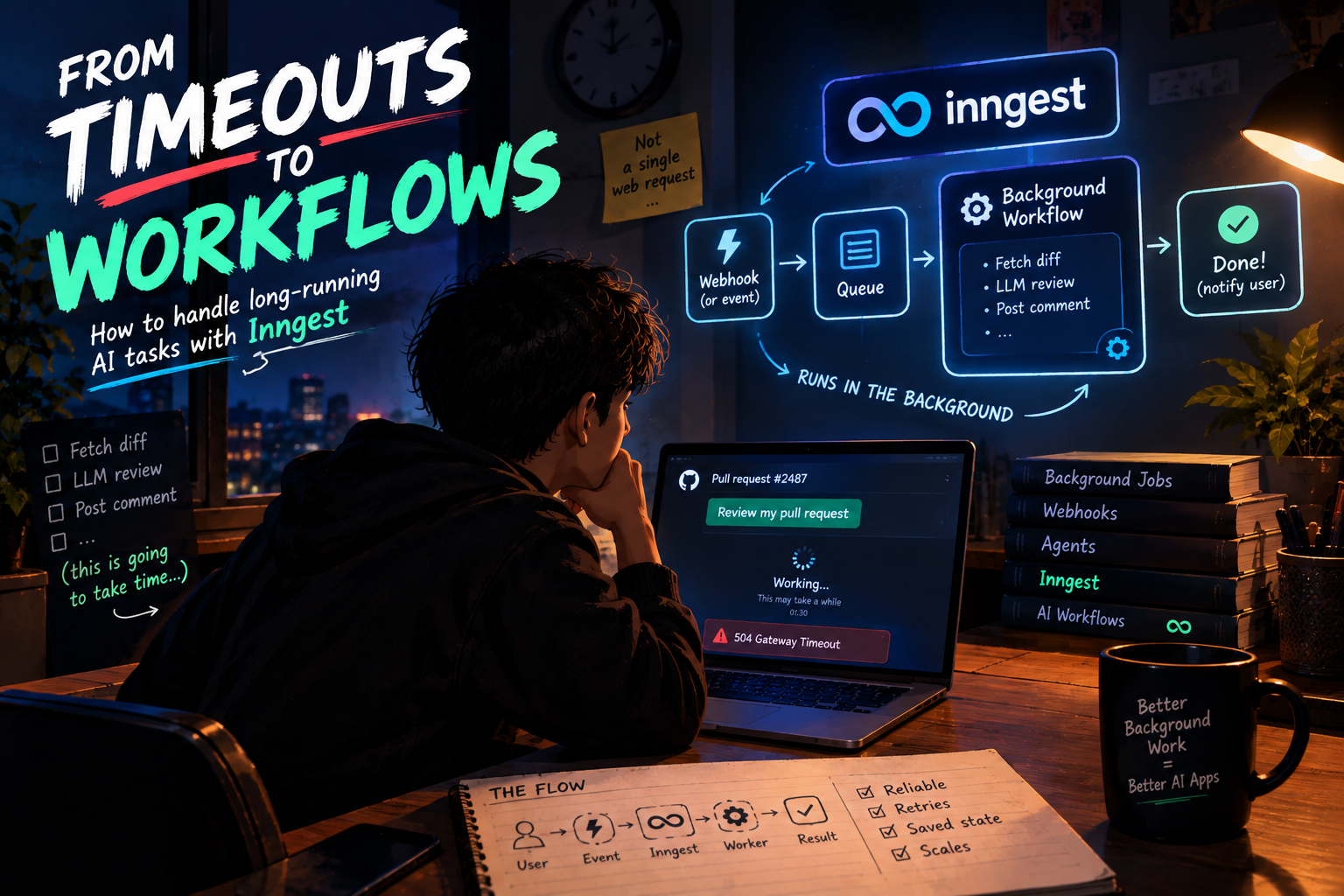
You clicked "Review my pull request". The page spun for 90 seconds, then showed a 504 error. ⏳
You build an AI code reviewer. A developer opens a pull request, your server fetches the diff, sends it to an LLM, waits for the review, and posts it back. On small PRs it works beautifully. On a big PR, the request hangs, the browser gives up, and the user sees a timeout, even though your server is still quietly working in the background.
Some work just doesn't fit inside a single web request. Today we'll trace why, starting from that problem, all the way up to background workflows with Inngest, webhooks that kick off AI agents, and what happens when things fail.
The Problem with Doing Everything Inside a Web Request
How a normal request works
In a typical web app, the browser sends a request, your server does some work, and sends a response. The browser waits the whole time.
Browser ──▶ Server (does the work...) ──▶ Response
              ▲
              └── the user is staring at a spinner meanwhile
For quick things like fetching a profile or saving a form, this is perfect.
Requests have limits
Somewhere between the browser and your code, there are timers running.
Browsers and clients give up after a while
Load balancers and proxies cut connections that stay open too long
Serverless platforms often cap how long a single function can run
Webhook senders like GitHub expect a quick reply (GitHub waits around 10 seconds)
The exact numbers differ by platform, but the lesson is the same: a request is meant to be short.
What goes wrong with long work
Timeouts: the work gets cut off halfway
Lost work: if the server restarts mid-request, everything in progress vanishes
A frozen user: nobody wants to watch a spinner for two minutes
No retry: if step 4 of 6 fails, you start over from the beginning, or not at all
Wasted money: imagine paying for an LLM call, then losing the result to a timeout
A simple test
Ask yourself: "Could this take more than a few seconds, or could it fail halfway?" If yes, it probably shouldn't live inside a web request.
Long-Running AI Tasks
AI makes this problem much worse
Traditional apps mostly do quick database reads. AI apps do things that are slow and unpredictable by nature.
An LLM call alone can take from a few seconds to a minute or more
An agent might make ten or twenty LLM and tool calls in a row
Each call depends on the previous one, so they can't all run at once
The total time isn't even known in advance, because the agent decides how many steps it needs
Examples of tasks that take too long
Code review: fetch a large diff, split it into files, review each one, and combine the feedback
Document processing: extract text from a 200-page PDF, chunk it, embed it, summarize it
Agent execution: research a topic by searching, reading pages, and writing a report
Data enrichment: process thousands of rows, calling an LLM on each one
Media work: transcribing or generating audio, images, or video
The timing, in numbers
Fetch the PR diff            ██                      ~2s
Summarize each file (x12)    ████████████████        ~40s
Check for security issues    ██████████              ~20s
Write the final review       █████                   ~10s
Post the comment             █                       ~1s
                             ─────────────────────────────
                             Total ≈ 73 seconds   😬
That's far beyond what any one request should hold open. We need a different shape for this kind of work.
What Background Workflows Are
The idea
Instead of doing the work while the user waits, we do this:
Accept the request and say, "Got it, working on it!" immediately
Do the actual work in the background, separately
Deliver the result when it's ready
The restaurant analogy
At a restaurant, the waiter doesn't stand at your table for 20 minutes while the chef cooks. They take your order, hand you a token, and go. The kitchen works on it in the background. When it's ready, they bring it over.
Your request is the order. The kitchen is the background worker.
Synchronous request vs background workflow
SYNCHRONOUS (everything inside the request)

User ──▶ Server ──▶ [ step 1 → step 2 → step 3 → step 4 ] ──▶ Response
              user waits the entire time, timeout risk 😬


BACKGROUND WORKFLOW

User ──▶ Server ──▶ "Accepted! ✅" (instant response)
              │
              └──▶ Queue ──▶ Worker runs [ step 1 → 2 → 3 → 4 ]
                                      │
                                      ▼
                         Result saved / user notified
Side by side
| Synchronous Request | Background Workflow | |
|---|---|---|
| User waits for | The whole task | Just an acknowledgement |
| Timeout risk | High | Low |
| If it fails halfway | Usually start over | Can retry just the failed step |
| Good for | Quick, small tasks | Long, multi-step, or unreliable tasks |
| Result delivery | In the response | Notification, webhook, polling, or live updates |
| Complexity | Simple | More moving parts |
A workflow is more than a job
A basic background job is "run this function later". A workflow is a series of steps, where each step can be saved, retried, and resumed independently. That distinction matters a lot, as we'll see soon.
Why AI Applications Need Asynchronous Processing
1. LLM calls are slow and flaky
APIs get rate-limited. Providers have brief outages. A call that works nine times might return a 429 or 500 on the tenth. When your task has twenty such calls, something will fail eventually.
2. Every step costs real money
If step 7 of 8 fails and you restart from scratch, you pay for steps 1 to 7 again. For AI work, that waste adds up fast. Saving progress between steps isn't just nice, it's cheaper.
3. Better user experience
The user shouldn't be stuck. They should see "Review in progress..." and get notified when it's done. Async lets the app stay responsive.
4. Scaling and control
Sudden traffic spikes could overwhelm your LLM provider's rate limits. With background processing, you can control how many tasks run at once and spread the load out.
5. Work needs to survive restarts
Deployments happen. Servers restart. A background workflow that saves its progress can pick up where it stopped, instead of losing everything.
The pattern
Fast work goes in the request
Slow, multi-step, or failure-prone work goes in a workflow
That's what we need a tool for.
What Inngest Does
The problem it solves
You could build all of this yourself. A queue, workers, retry logic, state storage, scheduling, monitoring. It's a lot of plumbing that has nothing to do with your actual product.
Inngest is a platform for durable background workflows. You write your workflow as normal code, and Inngest handles running it reliably: queuing, retries, saved state, concurrency limits, scheduling, and a dashboard to see what happened.
The key idea: durable execution
"Durable" means the workflow survives failures. Each step's result is saved. If something breaks, the workflow continues from the last successful step, not from the beginning.
How you use it
Your code stays in your own app, on your own hosting. You expose a small endpoint, and Inngest calls it whenever a workflow needs to run. Think of it like this:
┌───────────────────┐   triggers a run    ┌──────────────────────┐
│     Inngest       │ ──────────────────▶ │  Your app            │
│ (queue, state,    │                     │  (your functions     │
│  retries, logs)   │ ◀────────────────── │   at /api/inngest)   │
└───────────────────┘   step results      └──────────────────────┘
Inngest decides when to run things and remembers the results. Your code decides what the steps do.
Setting it up
npm install inngest
// src/inngest/client.ts
import { Inngest } from "inngest";

export const inngest = new Inngest({ id: "my-ai-app" });
That's the whole client. It groups the functions in your service under one app ID.
What you get
Durable steps with saved results
Automatic retries with backoff
Event triggers, cron schedules, and delays
Concurrency and rate limits to protect your APIs
A dashboard showing every run, every step, and every error
Works with any framework (Next.js, Express, and others), in TypeScript, Python, and Go
Events and Workflow Execution
Everything starts with an event
In Inngest, workflows are triggered by events. An event is just a small message saying, "something happened", with a name and some data.
await inngest.send({
  name: "app/document.uploaded",
  data: { documentId: "doc_42", userId: "user_7" },
});
You may remember the event-driven thinking from the Kafka article. Same idea: the sender announces what happened, and doesn't need to know who reacts to it.
Functions listen for events
You write a function and tell it which event should trigger it:
// src/inngest/functions.ts
import { inngest } from "./client";

export const processDocument = inngest.createFunction(
  { id: "process-document", triggers: { event: "app/document.uploaded" } },
  async ({ event, step }) => {
    const text = await step.run("extract-text", async () => {
      return await extractText(event.data.documentId);
    });

    const summary = await step.run("summarize", async () => {
      return await summarizeWithLLM(text);
    });

    await step.run("save-summary", async () => {
      await saveSummary(event.data.documentId, summary);
    });

    return { documentId: event.data.documentId, status: "done" };
  }
);
Serving your functions
Inngest needs a way to reach your functions. In a Next.js app, that's one route:
// app/api/inngest/route.ts
import { serve } from "inngest/next";
import { inngest } from "@/inngest/client";
import { processDocument } from "@/inngest/functions";

export const { GET, POST, PUT } = serve({
  client: inngest,
  functions: [processDocument],
});
What is a step?
A step (step.run) is a unit of work with a name. Inngest treats each step as its own saved, retriable chunk:
When a step succeeds, its result is saved and it will not run again
When a step throws an error, only that step is retried
The result of each step is stored as JSON, so you can pass it into later steps
The full journey of an event
Event ──▶ Inngest ──▶ Your function
"document          │
 uploaded"         ├─ step: extract-text   ✅ saved
                   ├─ step: summarize      ✅ saved
                   └─ step: save-summary   ✅ saved
                                │
                                ▼
                         Run complete
Other ways to pause and wait
Workflows aren't limited to running straight through. Inngest also lets a workflow sleep (step.sleep), wait for another event (step.waitForEvent), or call another function. A workflow can pause for hours or days without holding a server open, which is hard to do with plain requests.
Testing locally
Inngest has a local Dev Server where you can send test events and watch each run, its steps, and their outputs.
npx inngest-cli@latest dev
Retries and Reliable Execution
Failure is normal
With AI work, failures are routine: rate limits, network blips, a provider outage, a malformed response. A reliable system doesn't pretend these won't happen. It plans for them.
Step-level retries
When a step throws, Inngest retries that step automatically, with a delay between attempts. The steps before it are not rerun, because their results are already saved.
Attempt 1                              Retry (only the failed step)

step 1: fetch diff       ✅ saved      step 1: fetch diff       ⏭️ skipped (saved)
step 2: LLM review       ❌ 429 error  step 2: LLM review       ✅ success
                                       step 3: post comment     ✅ success
Why this saves money and time
Imagine step 1 was an expensive call and step 2 failed. Without durable steps, you'd pay for step 1 again. With them, only step 2 is retried. The LLM call you already paid for isn't wasted.
How the retry timeline looks
Time ─────────────────────────────────────────────▶

step: call-llm
   try 1 ❌ ──wait──▶ try 2 ❌ ──wait longer──▶ try 3 ✅
                                                  │
                                                  ▼
                                         workflow continues
By default, Inngest retries a failing function several times before giving up, and you can configure that number per function:
inngest.createFunction(
  {
    id: "process-document",
    retries: 5,
    triggers: { event: "app/document.uploaded" },
  },
  async ({ event, step }) => { /* ... */ }
);
Not every error deserves a retry
If the failure is permanent, like "this document is corrupted" or "the user doesn't exist", retrying five times just wastes time. For those, you can throw a special error that tells Inngest to stop retrying:
import { NonRetriableError } from "inngest";

await step.run("validate", async () => {
  if (!doc.isReadable) {
    throw new NonRetriableError("Document is corrupted");
  }
});
What if it still fails?
After all retries are used up, the run is marked as failed, and you can see exactly which step failed, with which error, in the dashboard. You can also add failure handling, like alerting your team or marking the job as failed for the user.
One rule to remember: make steps safe to repeat
Retries mean a step might run more than once. Imagine a step that charges a card or sends an email. If it succeeds on the provider's side but the response gets lost, a retry could do it twice. For steps with side effects, use idempotency, such as an idempotency key or a check like "has this already been done?".
Webhooks Triggering AI Workflows
What a webhook is
A webhook is a message that another service sends to you when something happens. GitHub says, "a pull request was opened". Stripe says, "a payment succeeded". Instead of you constantly checking, they call a URL you provide.
The challenge
Webhook senders expect a fast reply. They usually wait only a few seconds, and may retry or mark the delivery as failed if you're slow. But handling the event might take over a minute of AI work.
The fix is simple: receive fast, process later.
The pattern
The webhook endpoint verifies the message is genuine
It hands the work to a background workflow by sending an Inngest event
It responds immediately with a 200
Example: GitHub PR → AI code review
GitHub PR opened
      │
      ▼
Webhook ──▶ Your endpoint ──▶ inngest.send(event) ──▶ returns 200 instantly
                                      │
                                      ▼
                                   Inngest
                                      │
                                      ▼
                               AI Review Workflow
                                      │
        ┌──────────────┬──────────────┴───────────┬─────────────────┐
        ▼              ▼                          ▼                 ▼
   fetch diff     review files             summarize issues     post comment
                                                                    │
                                                                    ▼
                                                      Review appears on the PR ✅
Step 1: The webhook endpoint
// app/api/github/webhook/route.ts
import crypto from "crypto";
import { inngest } from "@/inngest/client";

export async function POST(req: Request) {
  const body = await req.text();
  const signature = req.headers.get("x-hub-signature-256") ?? "";

  // Verify the request really came from GitHub
  const expected =
    "sha256=" +
    crypto
      .createHmac("sha256", process.env.GITHUB_WEBHOOK_SECRET!)
      .update(body)
      .digest("hex");

  const valid =
    signature.length === expected.length &&
    crypto.timingSafeEqual(Buffer.from(signature), Buffer.from(expected));

  if (!valid) {
    return new Response("Invalid signature", { status: 401 });
  }

  const payload = JSON.parse(body);

  // Only care about newly opened pull requests
  if (req.headers.get("x-github-event") === "pull_request" &&
      payload.action === "opened") {
    await inngest.send({
      name: "github/pull_request.opened",
      data: {
        repo: payload.repository.full_name,
        prNumber: payload.pull_request.number,
      },
    });
  }

  // Respond immediately, the heavy work happens in the background
  return new Response("ok", { status: 200 });
}
Notice the signature check. Never skip it. Without it, anyone who finds your URL could trigger your AI workflow, and your LLM bill.
Step 2: The review workflow
import Anthropic from "@anthropic-ai/sdk";
import { inngest } from "./client";

const anthropic = new Anthropic(); // reads ANTHROPIC_API_KEY

export const reviewPullRequest = inngest.createFunction(
  { id: "review-pull-request", triggers: { event: "github/pull_request.opened" } },
  async ({ event, step }) => {
    const { repo, prNumber } = event.data;

    // 1. Get the diff
    const diff = await step.run("fetch-diff", async () => {
      return await getPullRequestDiff(repo, prNumber);
    });

    // 2. Ask the LLM to review it
    const review = await step.run("llm-review", async () => {
      const response = await anthropic.messages.create({
        model: "claude-sonnet-5-5",
        max_tokens: 2000,
        messages: [
          {
            role: "user",
            content: `Review this pull request diff. Point out bugs, risks, and improvements:\n\n${diff}`,
          },
        ],
      });
      const block = response.content[0];
      return block.type === "text" ? block.text : "";
    });

    // 3. Post the result back to the PR
    await step.run("post-comment", async () => {
      await postPullRequestComment(repo, prNumber, review);
    });

    return { repo, prNumber, status: "reviewed" };
  }
);
Here getPullRequestDiff and postPullRequestComment are your own helper functions, perhaps using GitHub's Octokit library. If the LLM call hits a rate limit, only llm-review retries. The diff is already saved.
Agents Inside Background Workflows
Agents are the perfect fit
Remember the agent loop from earlier in this series: perceive, decide, act, observe, repeat. An agent might loop ten or twenty times, calling tools along the way. That's exactly the kind of long, unpredictable, failure-prone work that belongs in a background workflow.
Make each action a step
The trick is to wrap each model call and each tool call in its own step.run. Every iteration of the loop becomes a checkpoint.
export const researchAgent = inngest.createFunction(
  { id: "research-agent", triggers: { event: "app/research.requested" } },
  async ({ event, step }) => {
    const MAX_STEPS = 8;                       // a guardrail, remember?
    const messages = [{ role: "user", content: event.data.question }];

    for (let i = 0; i < MAX_STEPS; i++) {
      // DECIDE: ask the model what to do next
      const decision = await step.run(`decide-${i}`, async () => {
        return await callModel(messages);      // returns a tool request or a final answer
      });

      if (decision.type === "final_answer") {
        await step.run("save-result", () => saveResult(event.data.id, decision.text));
        return { status: "done" };
      }

      // ACT: run the requested tool
      const toolResult = await step.run(`tool-${i}`, async () => {
        return await runTool(decision.tool, decision.args);
      });

      // OBSERVE: add the result and loop again
      messages.push({ role: "assistant", content: JSON.stringify(decision) });
      messages.push({ role: "user", content: JSON.stringify(toolResult) });
    }

    return { status: "stopped_at_step_limit" };
  }
);
Here callModel and runTool are placeholders for your own LLM and tool code, like the tool calling we covered earlier.
Why this is powerful
Crash on iteration 6? The first 5 iterations are saved, so the agent resumes at 6 instead of starting from zero
A tool fails? Only that tool call retries
Every decision is visible in the dashboard, so debugging an agent becomes much easier
The loop limit still applies, so a confused agent can't run forever
A note on frameworks
Inngest also offers AgentKit, a library for building agents and multi-agent networks that run on top of this durable execution. You can also use Inngest alongside whichever agent framework you already like, and just wrap its calls in steps.
Long waits and humans in the loop
Remember the human approval guardrail for risky actions? A workflow can pause and wait for an approval event without keeping anything running.
const approval = await step.waitForEvent("wait-for-approval", {
  event: "app/refund.approved",
  timeout: "24h",
  match: "data.refundId",
});

if (!approval) {
  // nobody approved within 24 hours
  return { status: "expired" };
}
The workflow sleeps for up to a day, using no resources, then continues when the approval arrives.
Real-World Examples of AI Workflows
1. AI code review bot
A webhook fires when a PR opens. The workflow fetches the diff, reviews each file, summarizes the findings, and posts a comment. Big PRs just take longer, and nobody's waiting on a spinner.
2. Document and PDF processing
A user uploads a 300-page contract. The workflow extracts the text, splits it into sections, summarizes each in parallel, extracts key terms, and emails a report. If one section's summary fails, only that part retries.
Upload ──▶ extract text ──▶ chunk ──▶ ┌─ summarize chunk 1 ─┐
                                      ├─ summarize chunk 2 ─┼──▶ combine ──▶ notify user
                                      └─ summarize chunk 3 ─┘
                                              (parallel steps)
3. Customer support triage
A new ticket arrives. A workflow classifies it, looks up the customer, drafts a reply, and routes it to the right team. If it's a refund above a certain amount, it waits for human approval before acting.
4. Research and report agents
A user asks for a market research report. An agent searches, reads, takes notes, and writes sections over several minutes, saving progress after each step. The user comes back later to a finished report.
5. Content and media pipelines
Transcribe a video, generate chapters and a summary, create social posts, and schedule them for tomorrow morning. Delays and scheduling are natural in a workflow.
6. Scheduled AI jobs
Every Monday at 9 AM, generate a weekly digest of everything that happened across a team's tools, and send it out. This is a cron-style trigger instead of an event.
7. Bulk data enrichment
Run an LLM over 50,000 CRM records. Concurrency limits keep you under the provider's rate limits, and failed records retry on their own.
Where it all fits in the architecture
┌────────────────────────────────────────────────────────────┐
│                     Web App / API                          │
│        (fast requests: auth, reads, accept & enqueue)      │
└──────────────┬─────────────────────────────▲───────────────┘
               │ events / webhooks           │ results, status
               ▼                             │
┌──────────────────────────────┐   ┌─────────┴──────────────┐
│       Inngest                │   │   Database / Storage   │
│  queue · state · retries     │   │   (results, history)   │
└──────────────┬───────────────┘   └─────────▲──────────────┘
               │ runs steps                  │
               ▼                             │
┌────────────────────────────────────────────┴───────────────┐
│               Background Workflows (your code)             │
│     AI agents · LLM calls · tools · MCP servers · memory   │
└────────────────────────────────────────────────────────────┘
Notice how this ties the whole series together. The agents we built, the tools they call (maybe through MCP), and the memory they use all run inside these workflows. The workflow layer is what makes them reliable in production.
When you don't need a workflow
Keep it honest: if your task is a single quick LLM call that returns in two seconds, a normal request is fine. Workflows add moving parts. Reach for them when work is long, multi-step, failure-prone, or needs to wait.
Quick Recap
Web requests are meant to be short. Timeouts, restarts, and impatient users make long work inside a request fragile.
AI tasks are slow, multi-step, and flaky, so they hit these limits constantly.
A background workflow accepts the request instantly, does the work separately, and delivers the result later. It's a series of steps, each saved and retriable.
AI apps need asynchronous processing for reliability, cost control, better user experience, and surviving restarts.
Inngest runs durable workflows for you, handling queuing, retries, state, concurrency, and visibility, while your code stays in your own app.
Events trigger workflows. Steps (
step.run) save their results, so successful work is never repeated.When a step fails, only that step retries. Use non-retriable errors for permanent failures, and make steps safe to repeat.
Webhooks should be received fast and handed to a workflow. Always verify the signature.
Agents fit naturally inside workflows: each decision and tool call becomes a checkpointed step, with a loop limit as a guardrail.
Production AI apps use workflows for code review, document processing, support triage, research agents, scheduled jobs, and bulk enrichment.
A web request answers a question. A workflow finishes a job. When your AI work takes longer than a conversation should, stop making the user wait, and let the work run reliably in the background.